<aside> 💬
Using Microsoft Teams? This page describes the Slack experience. For Teams, see Incident Identification in Teams — What to Expect.
</aside>
Vibe OnCall supports two paths to incident creation: automatic detection by Vibe AI, and manual declaration by a user. Both paths result in a fully tracked incident with Slack thread context attached.
Vibe AI listens for incident signals in designated Slack channels. A channel becomes monitored when two conditions are met:
Coming soon: Self-serve channel configuration will allow admins to manage monitored channels directly from the Vibe OnCall dashboard without engaging Vibranium Labs.
When Vibe AI is active in a monitored channel, it continuously analyzes message activity for signals that indicate an incident. This analysis happens across multiple signals simultaneously — message content, conversational patterns, timing, and cross-thread context — to determine whether a thread represents an active incident.
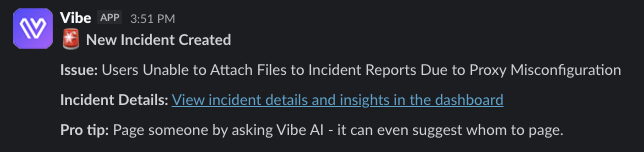
When Vibe AI determines that a thread warrants an incident:
If a Google Meet or Zoom link is posted in a monitored thread, Vibe AI will automatically request to join the meeting. Once its join request is accepted, Vibe AI joins the call and transcribes the conversation. The meeting transcript is attached to the incident, extending the contextual record beyond Slack into live war room discussions.
Note: Vibe AI will only transcribe a meeting after its join request is explicitly accepted by a meeting participant. It does not join meetings automatically without acceptance.