
Think of the client as the thing that’s making the request to the website you’re visiting. The client is your browser. Your browser, and the machine you’re using, is making a request to a server somewhere to access a website.
You may have heard engineers on your team refer to something happening on the client side or something happening on the server side. What’s going on here? Think of the client as the thing that’s making the request to the website you’re visiting. The client is your browser. Your browser, and the machine you’re using, is making a request to a server somewhere to access a website. So, for example, let’s take the site you’re on right now. You may have typed this into the browser: If that’s the case, your machine and the browser you’re using has made a request to the server. The server responds to your request and points you in the right direction. We call these requests HTTP requests. An HTTP request sends a request to a server and the server responds with a response code to tell the browser if all’s well with the request. The server will respond with a code. Here’s a sample of some of the codes a server will respond with: Server codes • 200 – successful response • 500 – server side error • 400 – there’s problem on the client side Error codes tell the browser that the HTTP request has been unsuccessful. Kinda like if you were to dial an incorrect number when trying to contact your friend and the person on the end of the phone kindly tells you you’ve made a mistake and contacted a hotel instead. APIs also use the same HTTP requests when processing API calls. More on that later. OK, that’s all great, but what do you really need to know about? The most important takeaway here is to understand that some technologies will run on the client side and some will run on the server side. What does that mean? It means some technologies, namely HTML, CSS and javascript are client-side technologies. This means they run inside your browser. Other technologies are server-side technologies, which means that they run on the server before they even reach your machine – and before they reach your browser. Here’s a little video which explains this concept. Using the same outcome we explain how you might achieve it with client side and server side technologies. In this case, javascript (a client side technology) and PHP, (a server side technology).
Now, let’s dig a little deeper into client side technologies.
Front end developers are specialists in HTML, CSS and JS. A developer without any of these 3 skills can’t really call themselves a front end developer since each of these plays a critical role in front end web development.
Here’s a little bit about what each of these technologies is primarily responsible for:
HTML – structureCSS – styles and positioningJS – interactivity and fun
Let’s have a look at each of them.
HTML is responsible for the structure of a page. HTML works using elements.
This is a page without HTML.
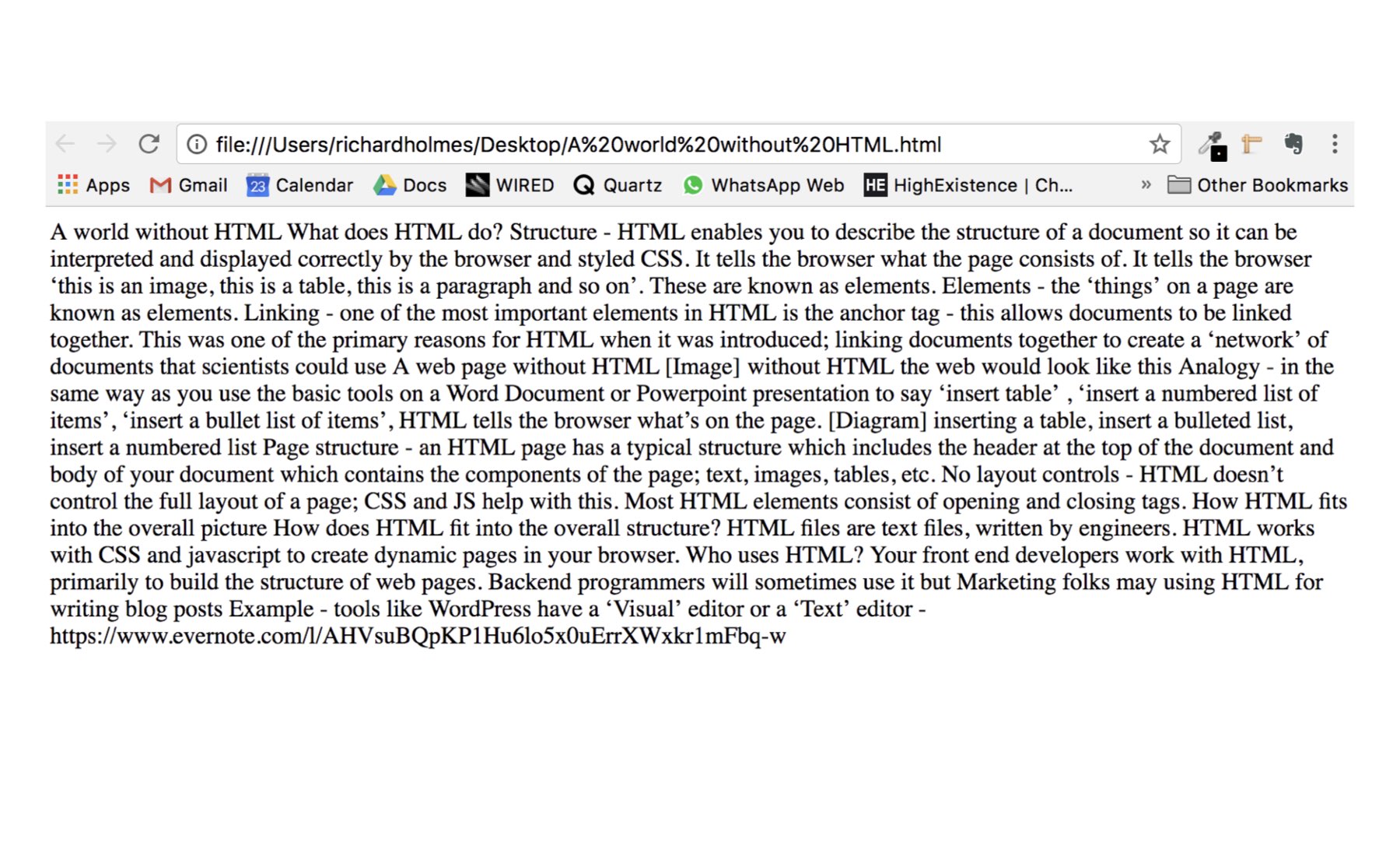
It’s pretty ugly. And the reason for that is that the browser doesn’t know what elements are on a page. HTML works using elements. Think about something like your CV / resume in a Word or Google Doc and how you might add relevant bits of information to it and you’ll have a pretty good idea of what HTML elements are.
What might be included on a resume?