What is traceroute?
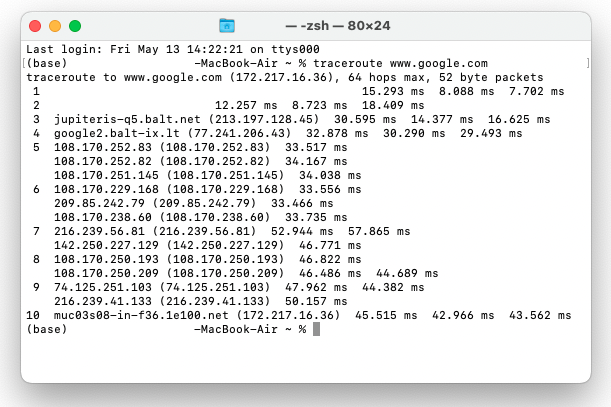
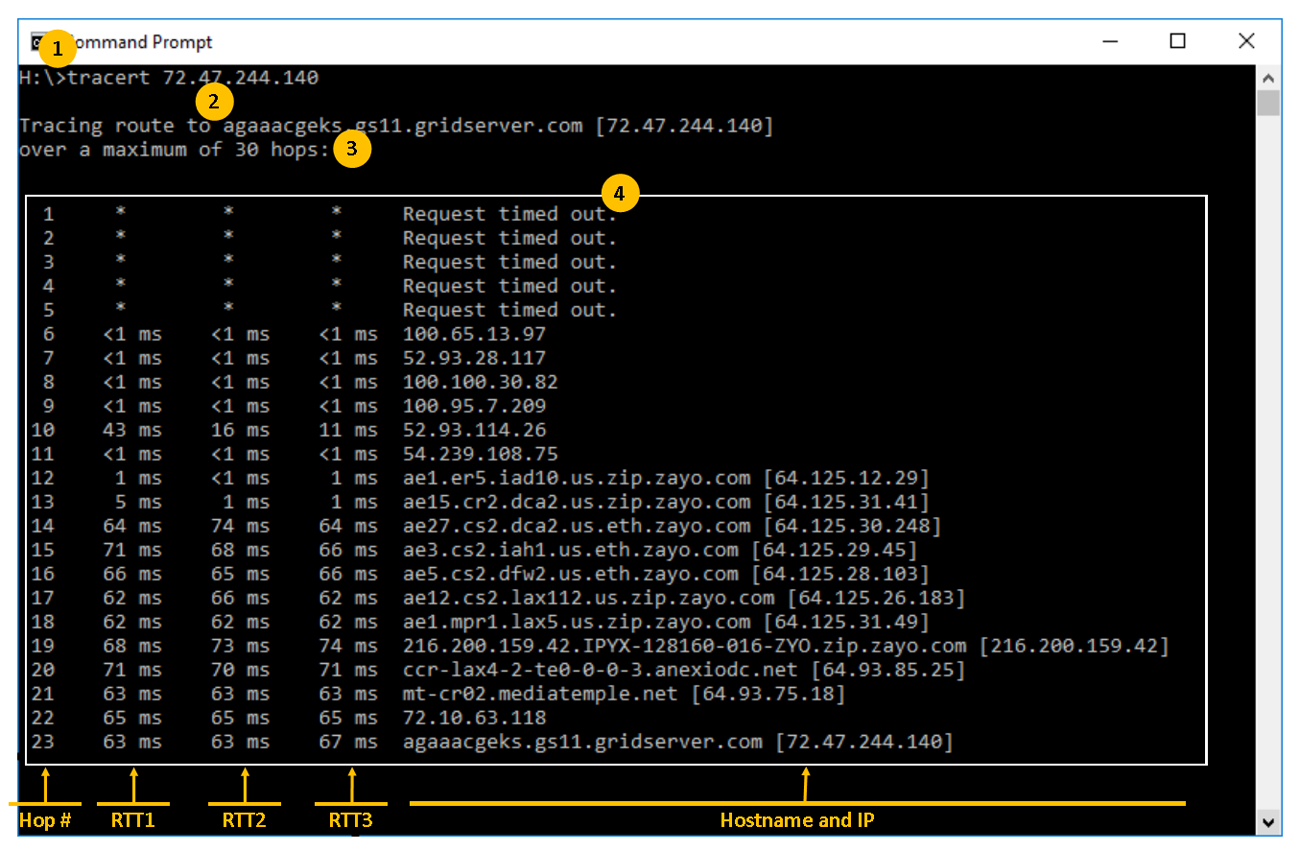
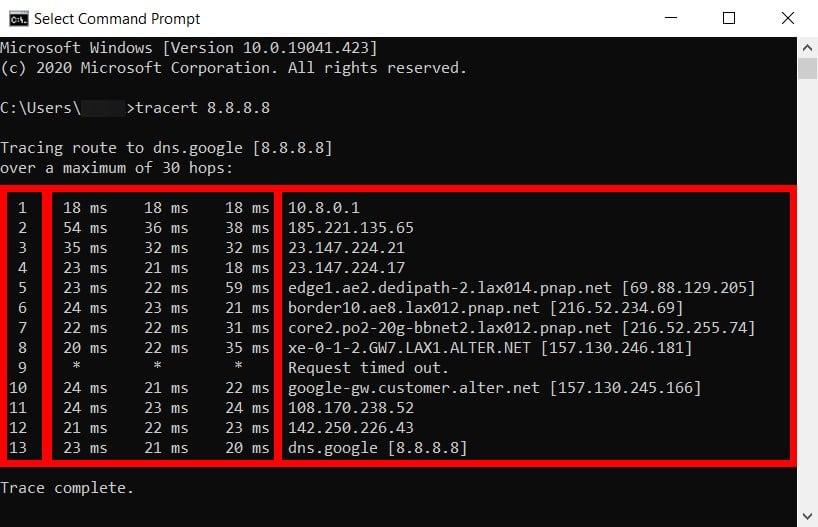
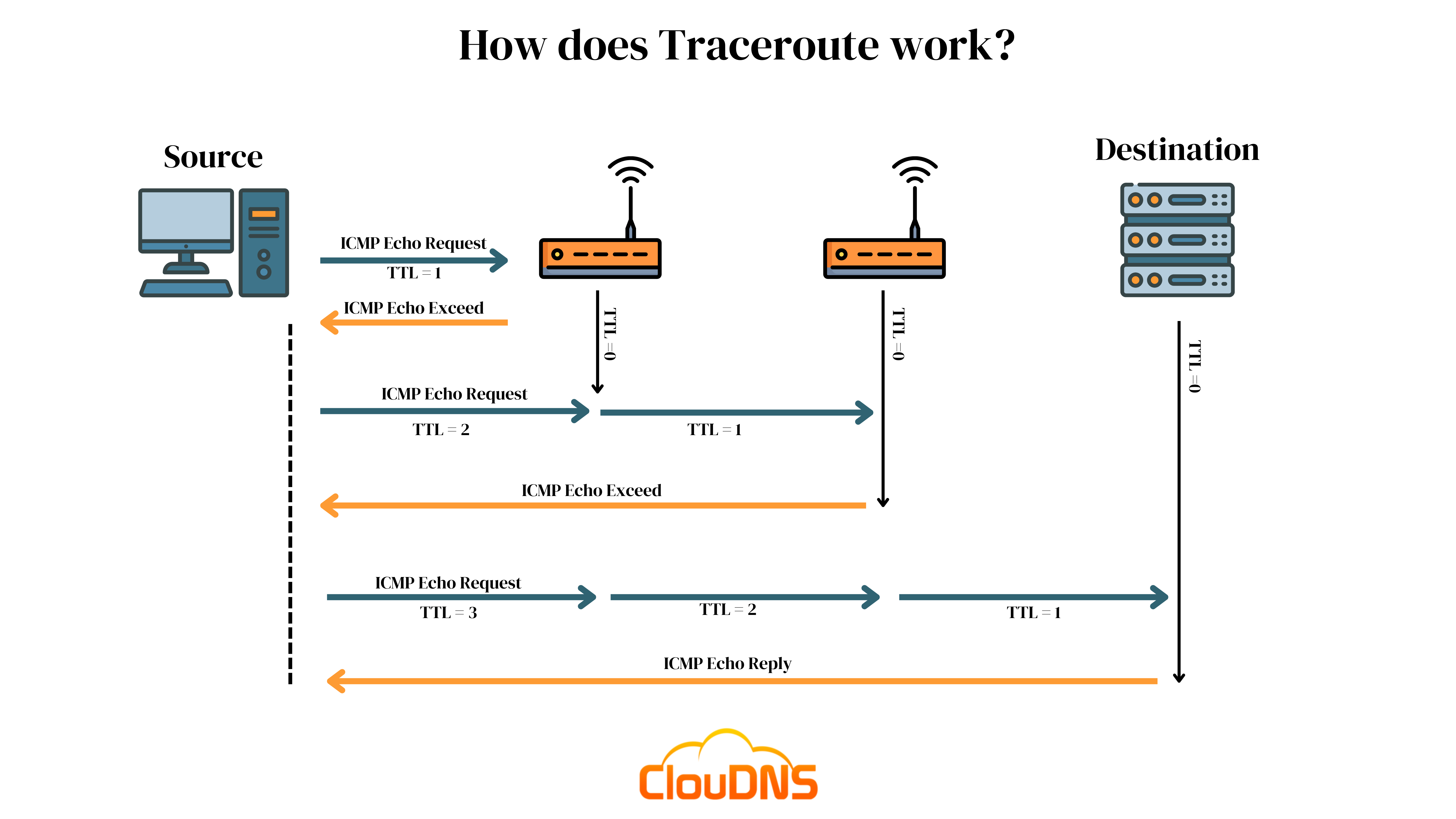
traceroute (tracert on Windows) is a network diagnostic command-line tool that maps the path packets take from your host to a destination IP or hostname, revealing each intermediate router (hop) along with round-trip times (RTT). It works by sending probes with incrementally increasing Time-To-Live (TTL) values, eliciting "TTL expired" responses from routers until reaching the target. Key characteristics include support for ICMP (default on Windows/Linux variants), UDP (default on Unix), or TCP probes, platform differences (traceroute vs tracert), and ability to detect routing issues or asymmetries.

Why Understand traceroute?
- Essential for diagnosing connectivity problems: Pinpoints where packets slow down, drop, or route asymmetrically.
- Offensive relevance: Used in reconnaissance to map network topology, identify firewalls, or enumerate infrastructure.
- Defensive risks: Reveals internal router IPs/hostnames if not filtered, aiding attackers in targeting.
- Complements ping: While ping tests reachability, traceroute shows the full path and per-hop performance.
traceroute is a cornerstone for network troubleshooting—knowing it helps isolate issues fast. 🔒
Common Use Cases
- Identifying latency sources or packet loss on specific hops.
- Verifying routing changes or BGP issues.
- Bypassing firewalls that block ICMP (using TCP/UDP options).
- Combining with ping for comprehensive diagnostics (e.g., mtr tool).



Exploitation Examples
Network Topology Mapping